AP Automation for Viewpoint Vista: How Agave Works

Agave AP Invoice Automation integrates with Viewpoint Vista to capture vendor and subcontractor invoices, code each line to Vista jobs, phases, cost types, and commitments, route approvals, and write approved invoices back into Vista.
Vista stays your accounting system of record. Agave handles invoice capture, coding, and approvals, then writes approved invoices back to Vista without anyone re-keying them.
How does Agave integrate with Viewpoint Vista?
Agave connects to Viewpoint Vista through a two-way integration. It reads the vendors, jobs, phases, cost types, GL accounts, and commitments already in Vista and uses them to code and check incoming invoices.
Once an invoice is approved, Agave writes it into Vista's AP module.
Agave supports hosted and on-premises Vista environments, so you can automate AP without replacing or restructuring your ERP.
How does invoice processing work with Viewpoint Vista?
Agave AP Automation handles Vista invoices in four steps.
- Capture invoices. Agave collects invoices from your AP inbox, including multi-page invoices and subcontractor payment applications. It extracts the vendor, invoice number, amounts, and line items.
- Code to Vista jobs and commitments. Agave matches each line to the right Vista job, phase, cost type, GL account, and PO or subcontract. Your team can review and correct coding before approval.
- Route for approval. Rules you set send each invoice to the right approver by job, vendor, amount, or cost type. Project managers review in Agave and can be limited to their own jobs.
- Write to Vista. After final approval, Agave sends the invoice and its cost coding into Vista's AP module.
Can Agave split invoices across multiple Vista jobs?
Yes. When a supplier invoice covers several projects, Agave splits it by job and routes each portion to that job's project manager.
If one invoice covers materials for three jobs, each PM reviews only the costs on their job before the invoice moves forward.
Can Agave check invoices against Vista POs and subcontracts?
Yes. Agave matches invoices against Vista commitments, including purchase orders and subcontracts, and flags invoices that exceed the remaining committed amount.
That catches potential overbilling before approval, instead of after the cost is already in Vista.
Can Agave reconcile vendor statements against Viewpoint Vista?
Yes. Agave compares each vendor statement against the invoices recorded in Vista and the invoices still waiting for approval.
It flags three kinds of discrepancies:
- Missing invoices: An invoice on the statement isn't in Vista or in approval.
- Amount mismatches: The statement amount differs from the invoice record.
- Date discrepancies: Invoice dates don't match between the statement and your records.
At month-end, statement reconciliation is usually a line-by-line job. Agave surfaces the exceptions, so your AP team only investigates the lines that don't match.
What should contractors look for in AP automation software for Vista?
AP tools integrate with Viewpoint Vista in different ways. Some capture invoices and export a file for someone to import. Others read Vista data and write approved invoices back.
When you evaluate AP automation for Vista, ask:
Ask each vendor to demo a real invoice from your business, ideally one that spans multiple jobs or includes subcontract billing. Watch how it gets coded, approved, and written into Vista.
What other Agave products integrate with Viewpoint Vista?
The same Viewpoint Vista connection supports more than AP:
- Expense Management: Capture receipts, reconcile company card transactions, and code expenses to Vista jobs.
- AI Analytics: Ask questions about your Vista financial and project data without exporting reports.
- Agave MCP: Connect Vista data to ChatGPT or Claude and ask questions about your business in plain language.
- ERP Sync: Keep project and financial records in sync between Vista and Procore or Autodesk Build.
How Williams Company connects Procore and Viewpoint Vista
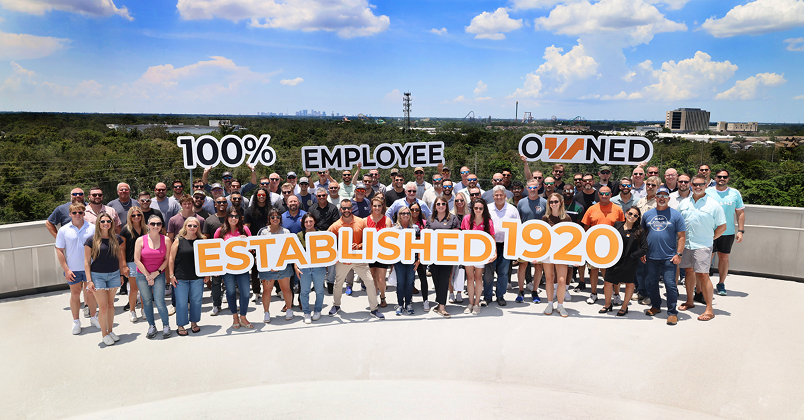
Williams Company, a Florida general contractor, uses Agave ERP Sync to keep Procore and Viewpoint Vista aligned. Job cost updates that took a project accountant one to two days of manual entry each month now run 120x faster.
"It's freeing up everyone from mundane tasks. Agave is doing the repetitive work so our people can focus on higher-value decisions," said Roger Whitty, CFO of Williams Company.
Read the Williams Company case study.
Frequently asked questions about Viewpoint Vista AP automation
What AP automation software works with Viewpoint Vista?
Agave AP Invoice Automation integrates with Viewpoint Vista to capture invoices, assign job cost coding, route approvals, and write approved invoices into Vista. It supports Vista jobs, phases, cost types, GL accounts, and commitments.
Does Agave replace Viewpoint Vista's AP module?
No. Vista remains your accounting system of record. Agave handles invoice capture, coding, and approvals, then writes approved invoices into Vista's existing AP module.
Can project managers approve invoices without a Vista login?
Yes. Project managers review and approve invoices in Agave without logging into Vista. Administrators can limit access by project and control who can edit coding or manage approvals.
Does Agave work with on-premises Viewpoint Vista?
Yes. Agave supports on-premises and hosted Vista environments. Connection requirements depend on your deployment.
Can Agave process subcontractor payment applications?
Yes. Agave captures multi-page subcontractor payment applications and matches the billing against the corresponding Vista commitments.
How long does it take to implement Agave with Vista?
Timing depends on your Vista environment, accounting setup, and approval workflows. Agave uses the jobs, phases, cost types, and vendors already in Vista, so you don't rebuild your accounting structure.
About Agave
Agave is an AI platform for construction finance, built to work with the accounting and project management systems contractors already use. It connects construction ERPs and project management tools across cloud, hosted, and on-premises environments. Its products include AP Invoice Automation, Expense Management, ERP Sync, Vendor Compliance, AI Analytics, and AI Agents.
Backed by Accel and Y Combinator, Agave serves more than 550+ general and specialty contractors across North America.