Seamlessly integrate Procore with your ERP
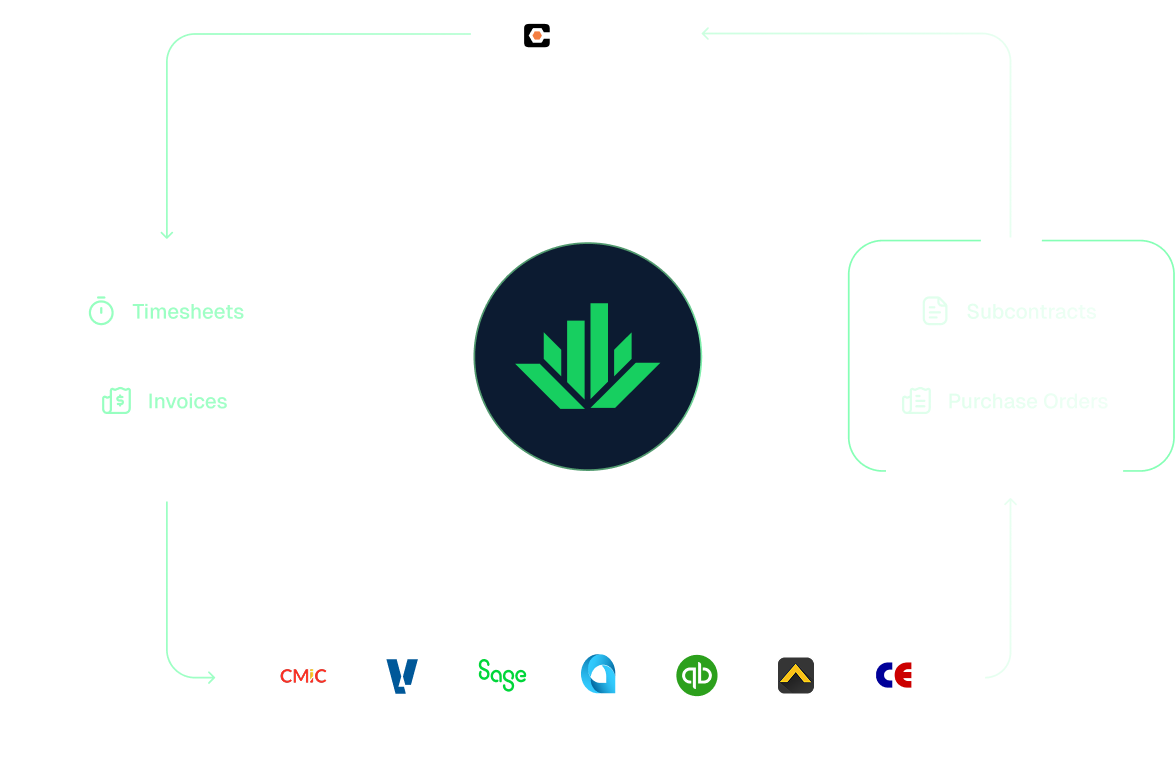
Agave ERP Sync enables real-time data transfer between your Procore and construction accounting system, so you can run cleaner books and maximize margins. 
Trusted by hundreds of general and trade contractors, from $5M to $5B in revenue
ELFORDCORBINSWilliams CompanyS&PBrinkmanGarneyPrimorisHauglang Group
Supported ERPs

Connect Procore with 11 Construction ERPs

Connect your ERP and construction accounting systems with deep, purpose-built integrations, keeping financial and project data synced automatically.

Click each ERP to see detailed data maps:

ERP Sync by the numbers

See how contractors run better on Agave

3x faster
implementations

See how Evans onboarded to Agave 3x faster

120h
saved on manual work

See how Brinkman saved time with Agave

$22M
saved in licensing, headcount, and migration costs (est.)

Learn more

Why general and trade contractors choose Agave to sync their data 

Keep Procore aligned with your ERP automatically and in near-real time.

Eliminate manual data entry
Agave moves data automatically between systems in near real-time, saving your team hours of manual entry and reducing errors.
See it in action

Ensure your ERP system has critical data from the field, automatically

Push critical data – like contracts, purchase orders, invoices, and timesheets – straight from the field into your ERP. Give your accounting team everything they need for month-end close and reporting. 
See it in action

See real-time finances in your project management system
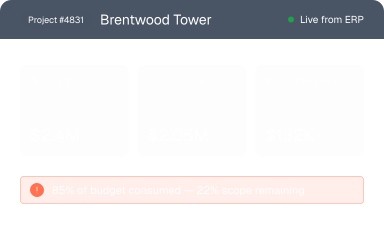
Surface up-to-date job costs directly inside your PM system, so the field always knows where they stand against budget. 
See it in action

Flexible sync directions

Agave supports both one way and two-way syncs across all supported data types, so you can control how information moves between your preferred systems. 
See it in action

Reconcile data automatically with AI
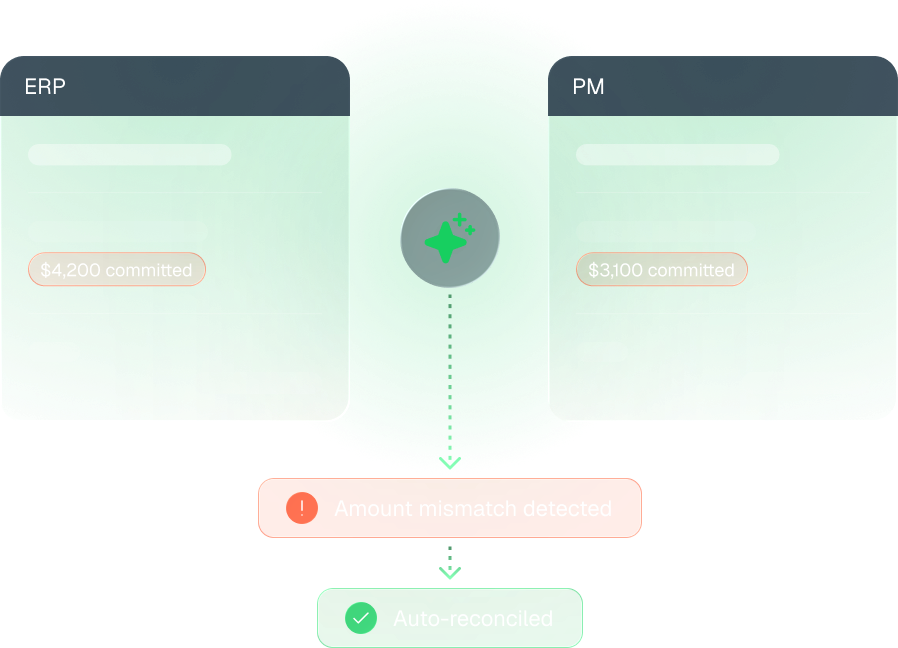
Chasing down why your ERP and PM system don't match is a time sink your team can't afford. Agave's AI continuously monitors for discrepancies across systems and reconciles them automatically.
See it in action
Implementation Process

We assign 1:1 construction experts to own your onboarding

Our team manages the heavy technical lifting, trains your teams, and stays by your side long after you go live.

01
Step 1
Meet your dedicated solutions specialist

Our team is specifically trained on construction finance workflows and Procore.

02
Step 2
Connect Procore and your ERP

Our team handles the set up between Procore and your ERP, securely connecting your financial data.

03
Step 3
Get your team up to speed

We train your accounting and field teams directly in your environment, so everyone knows exactly how to use Agave from day one.

04
Step 4
Go live with confidence

Turn on real-time sync and automation with confidence. Most teams are up and running within weeks.

05
Step 5
Fast responses from real people

Our fully US-based team is your one-stop-shop for responsive support, at no extra cost.

Testimonials

You’re in good company.

Meet the teams syncing millions of records through Agave every day.

Agave is the best money I've invested.
Smiling man with light brown hair and beard wearing a dark suit jacket and white shirt standing in front of a wooden panel background.
Eric Walker
Owner
The level of commitment and support from your team, there's no comparison to other vendors. Agave is a no-brainer, well worth the price.
Smiling man with light brown hair and beard wearing a dark suit jacket and white shirt standing in front of a wooden panel background.
Kelsey Demer
Project Controller
Agave has proven to be highly effective in streamlining the flow of information between Foundation and Procore, resulting in time savings and enhanced accuracy of information across systems.
Smiling man with light brown hair and beard wearing a dark suit jacket and white shirt standing in front of a wooden panel background.
Torrey Kirby
Senior Accountant
We moved to Procore for our PMs. we tried [another integration provider] and it was much too cumbersome to implement. We are now using Agave sync and the implementation process has been much better. The Agave staff is very helpful and will assist in working out the issues. I would definitely recommend you look into Agave.
Smiling man with light brown hair and beard wearing a dark suit jacket and white shirt standing in front of a wooden panel background.
Alton Brooks
Controller
Agave's customizable sync tool has made it a breeze to connect data between our accounting software and Procore. Using the Core and Workforce modules, we're able to easily sync projects, cost codes, employees, and timecards between the two systems.
Smiling man with light brown hair and beard wearing a dark suit jacket and white shirt standing in front of a wooden panel background.
Dylan Broman
Project Controls
Agave, thank you for being so diligent in making sure our data connection needs are met. It has truly been a fantastic experience.
Smiling man with light brown hair and beard wearing a dark suit jacket and white shirt standing in front of a wooden panel background.
Jeff Fuchs
Project Manager

Frequently Asked Questions

How does pricing work?

Agave Sync is priced based on four factors:

  1. Systems: which systems are being synced, and how those are deployed (cloud, hosted, on-prem).
  2. Companies: the number of financial/corporate entities or divisions being synced.
  3. Modules: which sync modules you choose.
  4. Customizations: how closely your needs map to our default settings.
Which ERPs does Agave integrate with?

Agave Sync integrates with nearly all major construction ERPs like Quickbooks Online/Desktop, Sage Intacct/100C/300 CRE, Deltek ComputerEase, Viewpoint Vista, Viewpoint Spectrum Foundation, and CMiC.

What data can Procore integrate between systems?

Agave Sync can sync key financial and operational data including, but not limited to:

  • Job costs and budgets
  • Cost codes
  • Contracts and commitments
  • Purchase orders
  • Subcontracts
  • Invoices
  • Timesheets
  • Change orders
Do field teams need access to the ERP?

No. With ERP Sync, field teams can stay entirely in their project management system while still seeing accurate financial data pulled directly from the ERP.

How long does it take to implement Sync?

Most ERP Sync implementations are completed in 5-12 weeks. Our implementation team works directly with you to configure integrations, connect systems, and train users with minimal disruption to existing workflows.
Ready to sync Procore and your ERP?

See how Agave connects your data, automates the work behind it, and keeps your projects financially on track.